REALISM GUIDE UPDATED 2026
How to Make Realistic AI Porn That Actually Looks Natural
Build believable fictional adult images by controlling the character, anatomy, camera and light—not by stacking vague quality words.
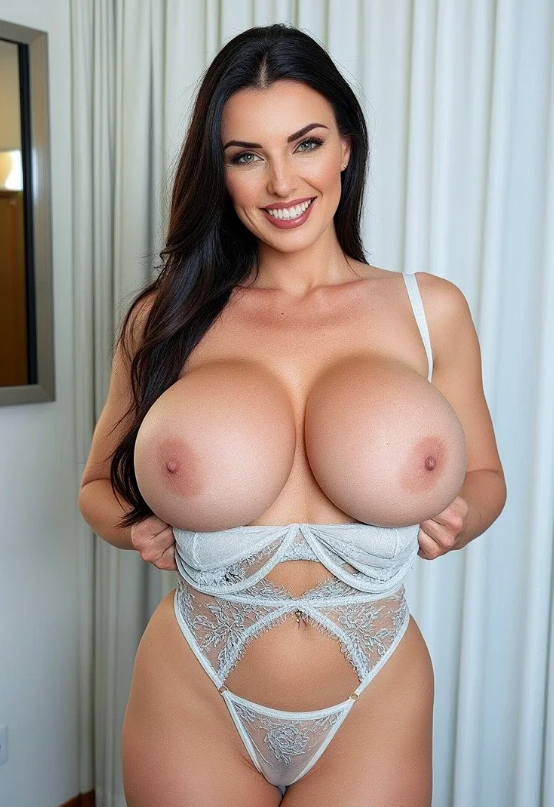
Learning how to make realistic AI porn is less about writing one enormous prompt and more about controlling a few visual decisions. A believable result needs a consistent fictional adult character, natural anatomy, a simple pose, realistic lighting, and a camera angle that makes physical sense.
Define the character → build the scene → control camera and light → generate variations → fix one problem at a time → upscale.
Words such as “photorealistic” and “ultra-detailed” cannot rescue a poorly designed scene. Realism comes from the relationship between face, body, pose, environment and light.IMPORTANTCreate only fictional characters who are clearly adults. Do not generate sexual images of celebrities, acquaintances, former partners, or other real people without their explicit and documented consent.
Start With a Clear Visual Decision
Start with a clear idea of the final image. Decide who the fictional character is, where the scene takes place, how the image should be framed, and what kind of light should shape the subject.
Generate several simple variations before adding complex details. Select the character and composition that look most believable, then refine that result through smaller prompt changes. Trying to solve the face, anatomy, background, pose, lighting, and artistic style in one generation makes it difficult to understand what caused an error.
A realistic AI porn generator works best when each generation has a clear purpose. The first attempt establishes the character. The next improves the pose or composition. Later generations refine the light, expression, and smaller visual details.
Keep defining facial and body traits stable.
Use poses and spaces that make physical sense.
Choose one dominant, believable source.
Build a Consistent Fictional Adult Character
A consistent character begins with a short description containing the details that influence her visual identity. Include age, face shape, hair, body type, expression, and overall style.
Avoid filling the prompt with personality traits that cannot be seen. Words such as “intelligent,” “loyal,” or “interesting” may be useful for an AI chatbot, but they give an image model little visual direction.
Fictional adult woman, age 28, oval face, defined cheekbones, shoulder-length dark hair, brown eyes, athletic build, calm confident expression, natural skin texture.
Keep this core description whenever you want to generate the same character again. You can change the location, clothing, pose, or camera angle while preserving the identifying features.
If Make Porn AI supports saved characters, references, or reusable profiles, continue working with the same character instead of rebuilding her from a new description each time. A stable identity is especially important when creating a series of realistic AI porn images or preparing a character for image-to-video generation.
Keep the Scene Simple and Believable
Complexity is one of the main causes of broken AI images. Start with one adult character, one clear pose, and one setting.
A bedroom, hotel room, studio, bathroom, or living room can all work, but the environment needs a believable layout. Furniture should not intersect with the body, mirrors should not create unexplained reflections, and objects should not block important parts of the pose.
Modern bedroom with warm evening light and a neutral interior.
Sitting naturally on the edge of the bed, upper body turned slightly toward the camera.
This gives the AI image generator a subject, location, and physical relationship between them. Adding multiple characters, complicated furniture, reflective walls, and several simultaneous actions creates more opportunities for anatomical and spatial errors.
Use a Pose the Body Can Actually Hold
AI models often struggle when limbs overlap, hands disappear behind the body, or the pose requires an unusual distribution of weight. A visually dramatic pose may look good in your imagination while giving the generator an unclear anatomical problem.
Begin with a relaxed standing, seated, or reclining pose. Keep the spine, shoulders, arms, and legs in positions that could exist comfortably in the real world.
When hands are important, describe what each hand is doing. “One hand resting on her thigh, the other relaxed beside her” gives the model more direction than simply requesting “perfect hands.”
Avoid starting with twisted poses, crossed limbs, extreme camera angles, or several points of physical contact. Once the character and anatomy are stable, introduce more complex positioning gradually.
Realistic AI-generated porn depends on believable body mechanics. If the pose would be difficult for a human model to hold, it will usually be difficult for an image model to render correctly.
Place a Real Camera in the Room
A realistic image should feel as though it was captured by a physical camera positioned somewhere in the room. Define the framing and viewpoint instead of asking only for a “professional photo.”
A medium shot is a reliable starting point because it keeps the face visible without forcing the model to solve every detail of the entire body. Full-body compositions are more demanding, while extreme close-ups can exaggerate skin texture and facial asymmetry.
Do not combine conflicting camera instructions. A prompt requesting a close-up, full-body shot, overhead angle, and eye-level perspective at the same time gives the model no clear composition to follow.
Use One Logical Light Source
Lighting has a larger effect on realism than adding more detail words. It explains the shape of the face and body, connects the character to the room, and determines whether the image feels photographic or synthetic.
Use one dominant light source. A bedside lamp, window, studio softbox, or warm ceiling light gives the scene a logical direction. The highlights and shadows should appear to come from that source.
Warm bedside lamp from the left, soft shadows across the body, subtle background falloff, realistic skin highlights.
Avoid combining sunset, neon lights, direct flash, candlelight, and bright daylight unless the scene genuinely needs them. Too many light sources often produce plastic skin, random highlights, and a character who appears disconnected from the background.
For photorealistic AI porn, softer light is usually easier to control. It preserves facial detail while reducing harsh anatomical shadows and unnatural contrast.
Ask for Natural Skin, Not Perfection
AI characters often look artificial because the prompt asks for perfection instead of realism. Terms such as “flawless skin,” “perfect body,” “extreme detail,” and “8K masterpiece” can push the model toward a polished, synthetic appearance.
Real skin contains subtle texture, small tonal changes, pores, fine lines, and natural highlights. Describe those properties directly.
Natural skin texture, subtle pores, realistic complexion, soft facial detail, gentle tonal variation.
Avoid overloading the prompt with every available quality modifier. “Photorealistic, natural skin texture, realistic lighting, editorial photography” is usually more useful than a long sequence of vague terms such as “best quality, award-winning, hyper-detailed, perfect, stunning, flawless, ultra-realistic.”
Realistic does not mean visually perfect. Small natural details help the character look more like a photographed adult and less like a plastic 3D render.
Generate Variations and Fix One Problem at a Time
The first generation is a draft. Produce several variations from the same character and scene before making major changes.
Compare the face, hands, anatomy, lighting, background, and overall composition. Choose the image with the strongest structure, even if another version has more attractive colors or styling. Surface details are easier to improve than a broken pose.
When something is wrong, change one variable. If the face works but the hands do not, clarify the hand positions. If the anatomy is correct but the scene looks artificial, refine the lighting and background. If the character changes between generations, return to the same character reference and core description.
Rewriting the complete prompt after every imperfect result removes the information the model handled correctly. Controlled iteration makes it easier to produce realistic AI porn pictures consistently.
Reduce “perfect” and “flawless.” Use natural texture, balanced facial light and a relaxed expression.
Keep the same core description, reference, model and style. Change only the required scene or pose.
Describe hand placement, keep fingers visible, or crop above the hands when they are not important.
Reduce overlapping limbs and extreme twists. Use clear shoulders, hips, knees and weight distribution.
Remove aggressive beauty language and sharpness. Add pores, tonal variation and soft directional light.
Simplify the setting, remove mirrors and patterns, and separate the character from furniture and walls.
A Complete Realistic AI Porn Prompt Formula
Use this formula when building a new image:
Fictional adult woman, age 28, oval face, shoulder-length dark hair, brown eyes, athletic build, calm confident expression, sitting naturally on the edge of a bed with one hand resting on her thigh, modern bedroom, eye-level medium shot, 50mm portrait photography, warm bedside lamp from the left, soft realistic shadows, natural skin texture, subtle pores, shallow depth of field, photorealistic editorial style.
This prompt gives the realistic AI porn generator a clear subject and scene without forcing it to interpret several unrelated ideas. After generating the first set, adjust the part that needs improvement. Keep the character description unchanged when identity consistency matters.
Use a Focused Negative Prompt
If the selected generation model supports negative prompts, use a short list focused on common visual defects:
Extra fingers, fused hands, duplicated limbs, distorted face, asymmetrical eyes, broken anatomy, plastic skin, duplicate objects, text, watermark.
A negative prompt can reduce unwanted features, but it cannot replace a clear positive description. Telling the model what the scene should contain remains more important than providing a long list of everything it should avoid.
Some newer models respond better when exclusions are phrased positively. Instead of requesting “no clutter,” describe “a clean minimalist bedroom.” Follow the behavior of the selected model rather than copying the same negative prompt into every generator.
Upscale the Best Image, Then Move Into Video
Upscale only after selecting the image with the correct character, anatomy, pose, and composition. Upscaling adds resolution and surface detail; it does not reliably repair structural mistakes.
Inspect the upscaled result around the eyes, teeth, fingers, hairline, and edges of clothing. Some upscalers sharpen these areas too aggressively or invent details that were not present in the original generation.
Keep the original image so you can compare both versions. A softer but natural face may look more realistic than an oversharpened result with visible pores and artificial edges.
Turn the Still Into AI Video
Once the still looks believable, it can become the first frame for an AI video. Image-to-video usually provides more character control than asking a video model to invent the entire scene from text.
Choose an image with a clear face, simple pose, consistent light, and enough space for movement. Then write a short motion prompt describing who moves, what moves, the speed, and the camera behavior.
Use one primary action and begin with a clip of approximately 5–8 seconds. Review the complete generation for changes in the face, anatomy, lighting, and background before extending or upscaling it.
Read the complete AI porn video workflow ↗Frequently Asked Questions
What makes AI porn look realistic? +
Realistic results come from a consistent fictional adult character, believable anatomy, a natural pose, controlled camera framing, logical lighting, and restrained image processing. Adding more descriptive words does not compensate for a poorly structured scene.
What is the best prompt structure? +
The best prompt clearly defines the character, pose, environment, camera, lighting, and photographic style. Keep the instructions compatible with each other and avoid vague quality terms that do not provide visible direction.
Why do AI faces look artificial? +
Common causes include excessive beauty language, flat lighting, extreme expressions, unclear facial angles, aggressive sharpening, and inconsistent character references. Use a visible face, relaxed expression, natural skin texture, and one clear light source.
How do I keep the same character across images? +
Reuse the same saved character or reference, core appearance description, generation model, and visual style. Change the pose or setting without rewriting the character’s defining features.
Can I make realistic AI porn for free? +
Some AI adult image generators offer free credits or limited generations. Free access may restrict resolution, model choice, generation speed, or the number of variations. Check the current plan before beginning a larger series.
Can I turn a realistic AI image into video? +
Yes, if the platform provides image-to-video generation. Select a clean still, use a simple motion prompt, and start with a short clip. A stable source image gives the video model a stronger visual foundation.
Can I use a photograph of a real person? +
Create a fictional adult character instead. Do not generate sexual content involving a real or identifiable person without explicit, informed, and documented consent. Never create sexualized content involving minors.
Make Your First Realistic AI Image
Start with one fictional adult character and a simple scene. Give the model a natural pose, clear camera position, believable light, and enough visual information to understand the composition.
Generate several variations, select the image with the strongest face and anatomy, and refine one detail at a time. Once the still works, upscale it or continue into image-to-video generation.
Create Realistic AI Porn With Make Porn AI ↗